

Real-time order management for WooCommerce
Run the store in real time.
Orders, deliveries, tables, loyalty and an AI assistant in one live workspace built for WooCommerce teams.
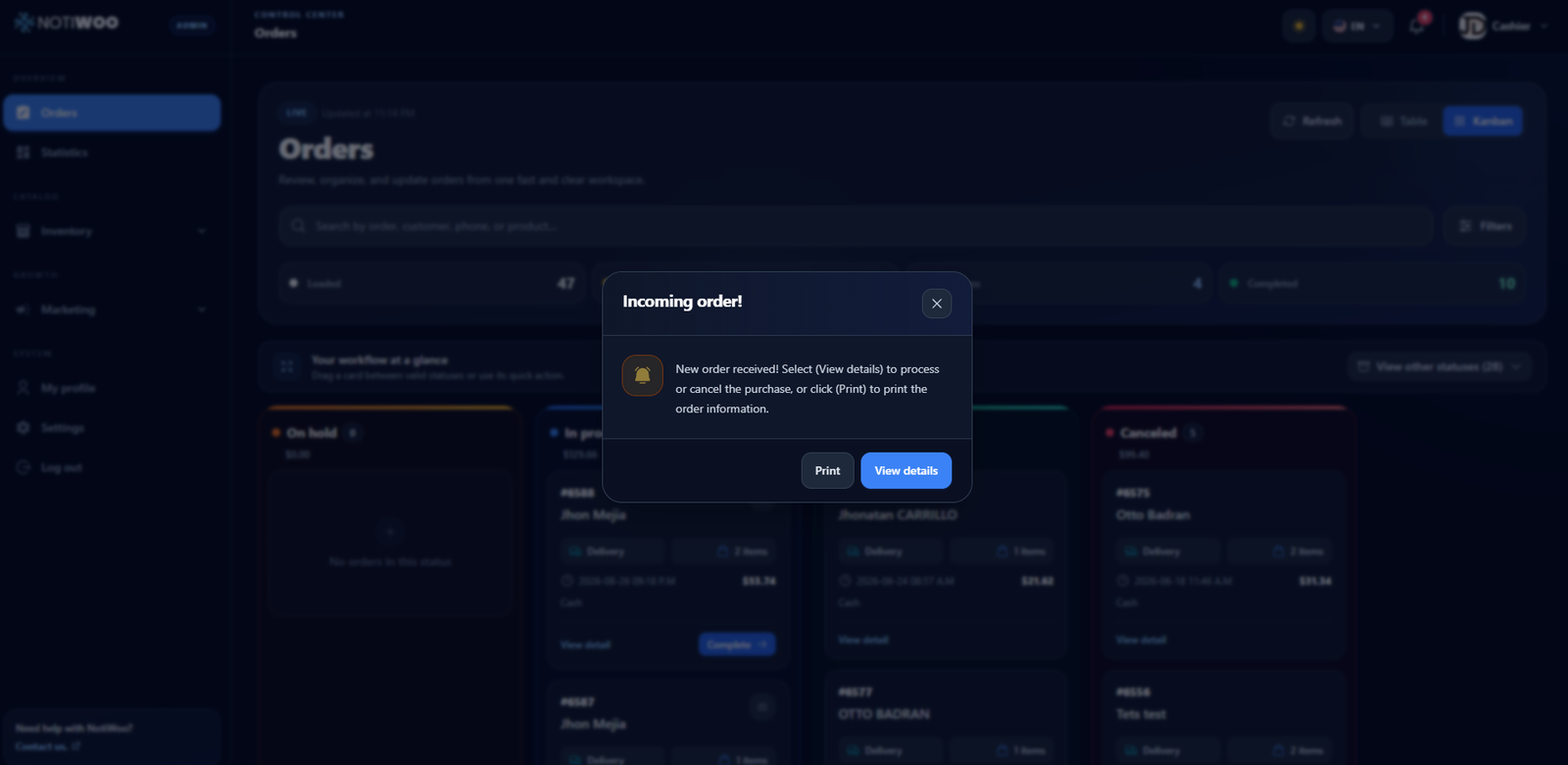
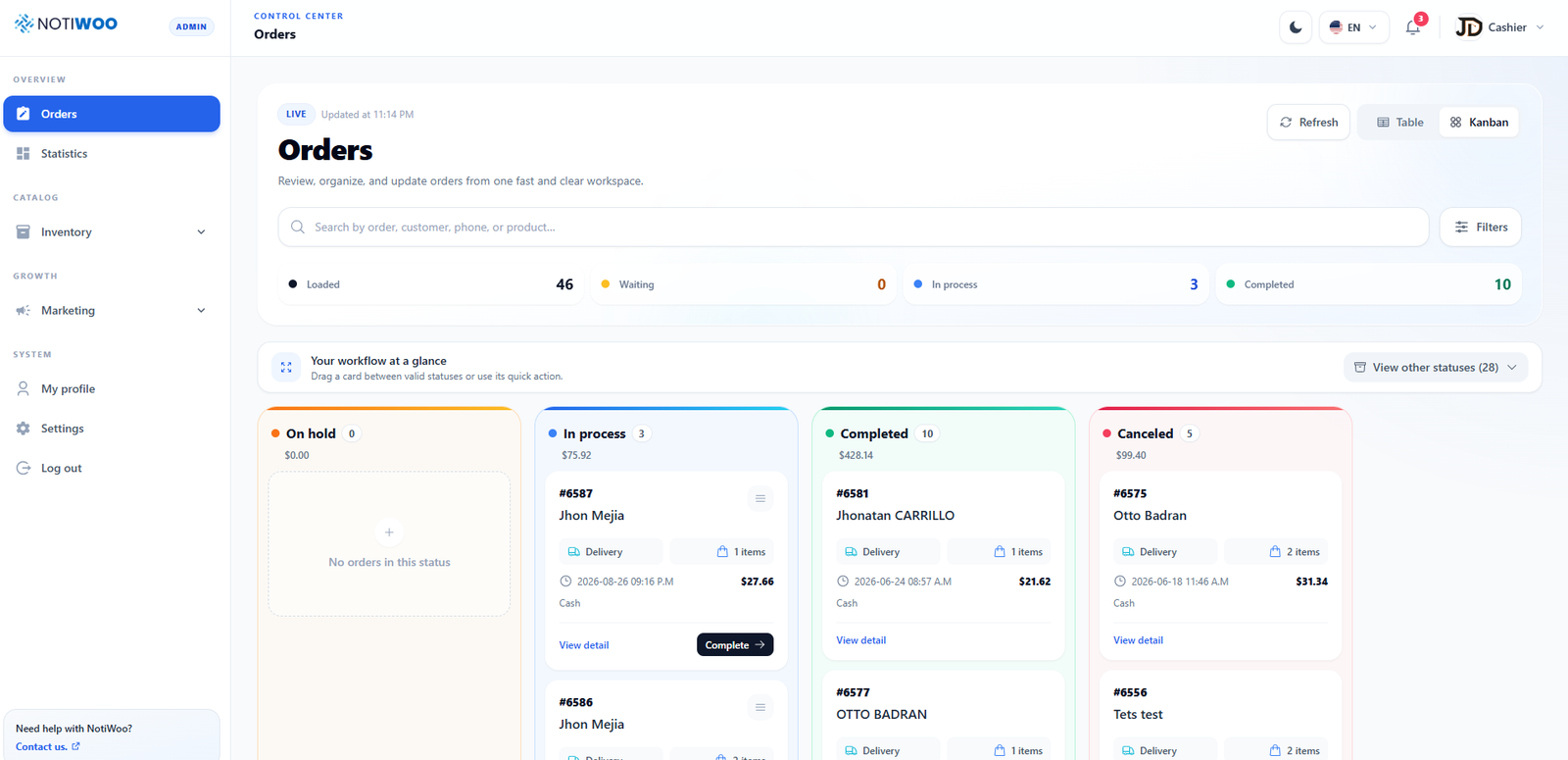
New order received
Open, prepare, print or update it from the same screen.
- Live order alerts
- Delivery tracking
- QR table ordering
- AI assistant
- English and Spanish
Orders do not wait for your team to check another inbox.
NOTIWOO removes the delay between a customer buying and your team knowing what to do next. The order appears where the work happens, with the details and actions already together.
Order arrives
WooCommerce records the purchase and remains the source of truth.
NOTIWOO alerts the team
A sound and an on-screen notification surface the order instantly.
Your team acts
Open, prepare, print, complete or cancel from the same workspace.
The operation stays visible
Each state remains easy to follow and ready for review.
One workspace for the whole store day.
The dashboard keeps daily work close: orders, deliveries, tables, catalog, customers, loyalty and statistics, all organized around the rhythm of a WooCommerce operation.
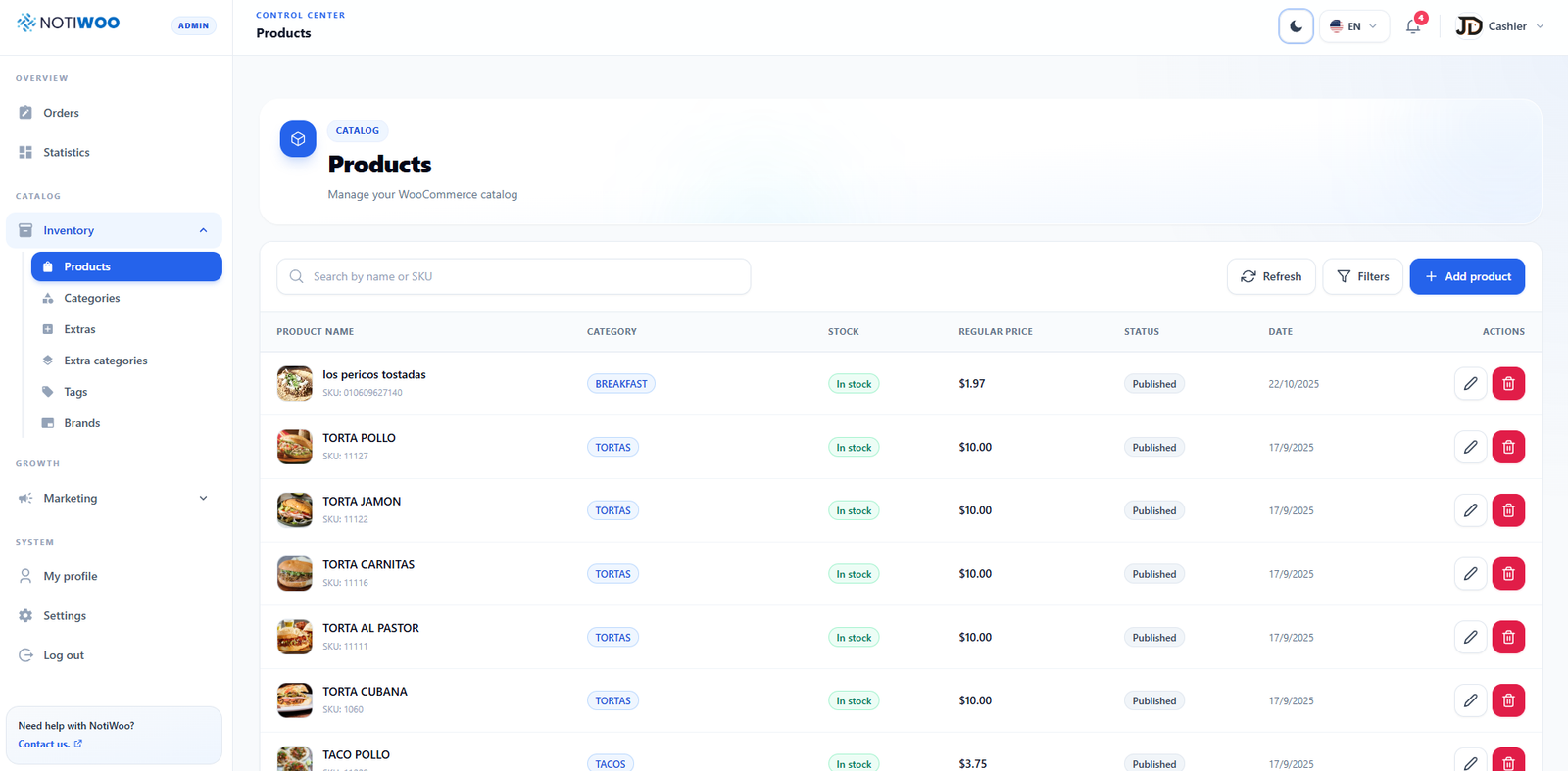
Orders
Receive, filter and update every order without refreshing the WordPress admin.
Catalog
Keep products, categories, extras, tags and brands close to the order workflow.
Insight
Read sales patterns, filter by date and export reports to Excel or PDF.
Built around the moments that slow a store down.
NOTIWOO is not another report to check later. It is the operational layer your team keeps open while orders are moving.
The new order is impossible to miss.
Sound and on-screen alerts bring the order forward at the moment your team needs it, with quick access to details and printing.

Tickets without the busywork
Print receipts or kitchen tickets from the order view in the configured language.
The day becomes measurable
Filter performance, read sales patterns and export reports when the team needs them.
Light for clarity. Dark for focus.
The dashboard adapts to the environment your team prefers. This page does too. Use the switch in the navigation to compare both modes.


Deliveries your customers can follow live.
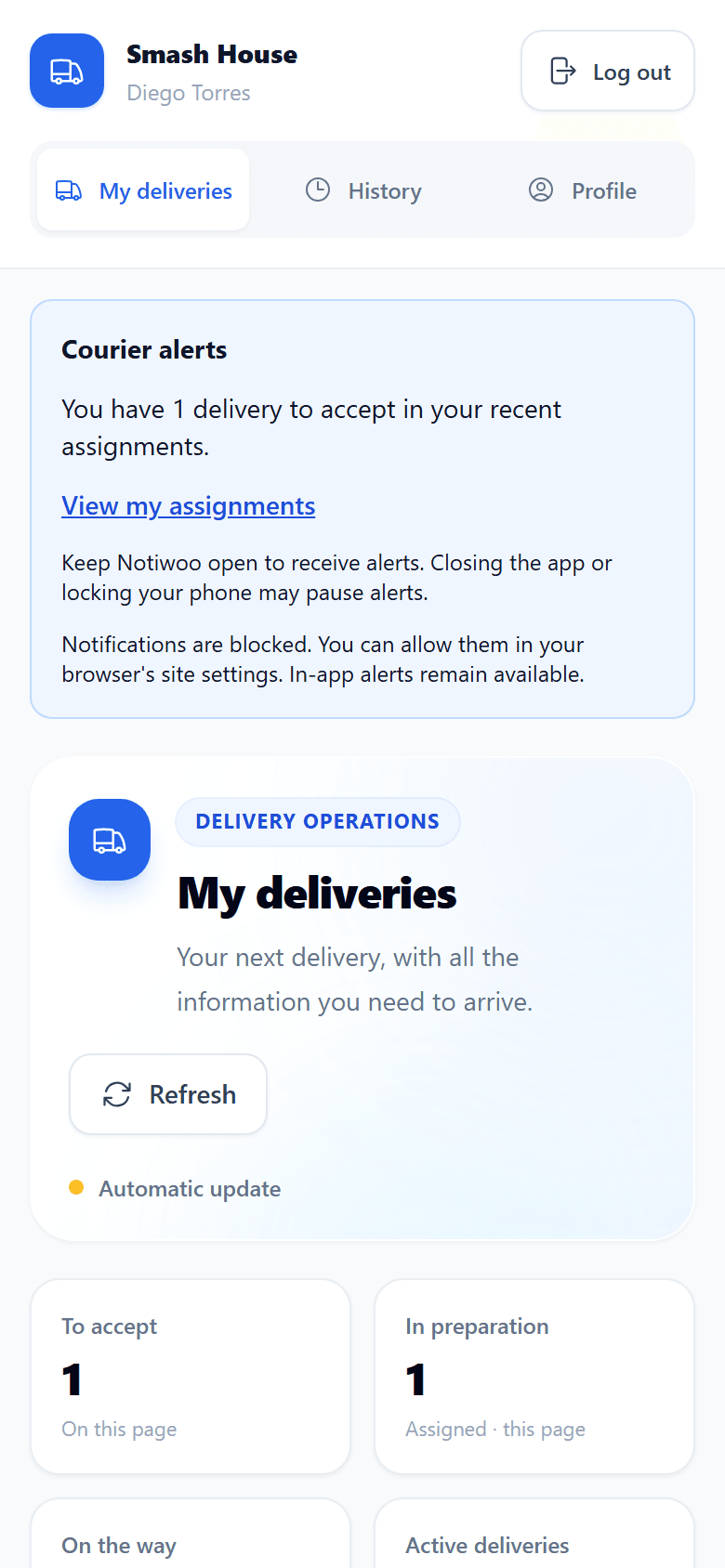
Assign every delivery to a courier, follow it on the map and send your customer a tracking link. They do not need to install anything.
Dispatch in a few clicks
Pick the order, choose the courier and confirm the destination. Reassign or cancel without a single phone call.
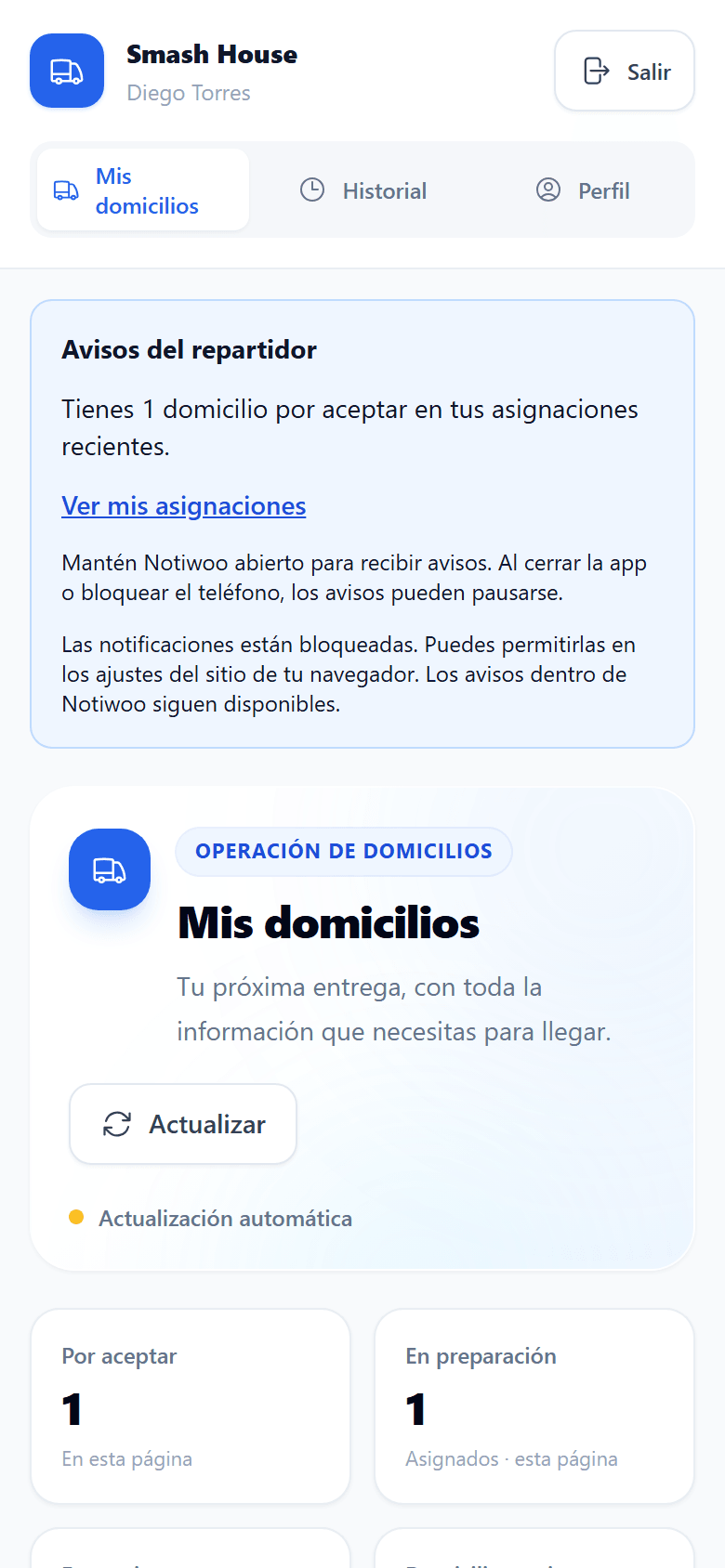
A courier app on their phone
Couriers accept, pick up and confirm each delivery, open the route in Google Maps or Waze and share their location only with consent.
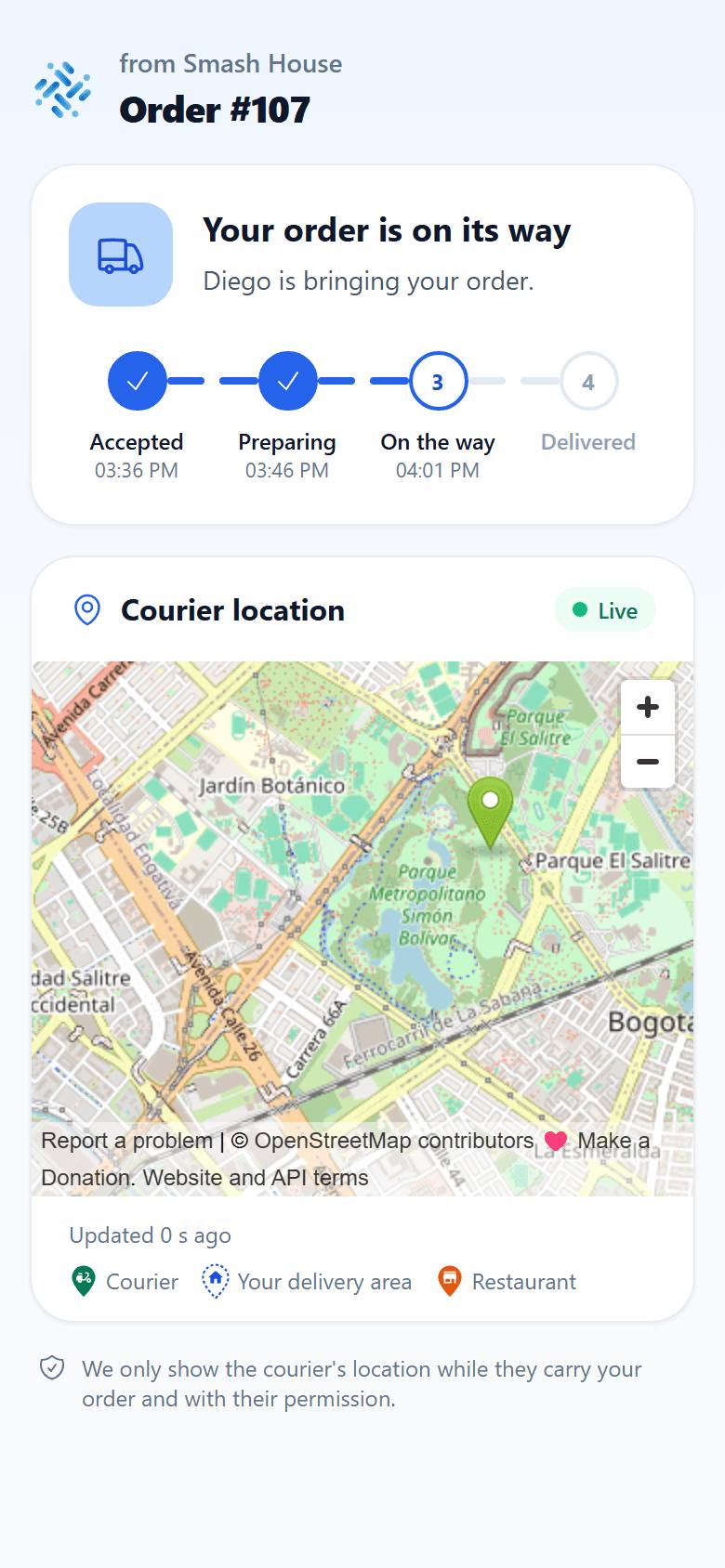
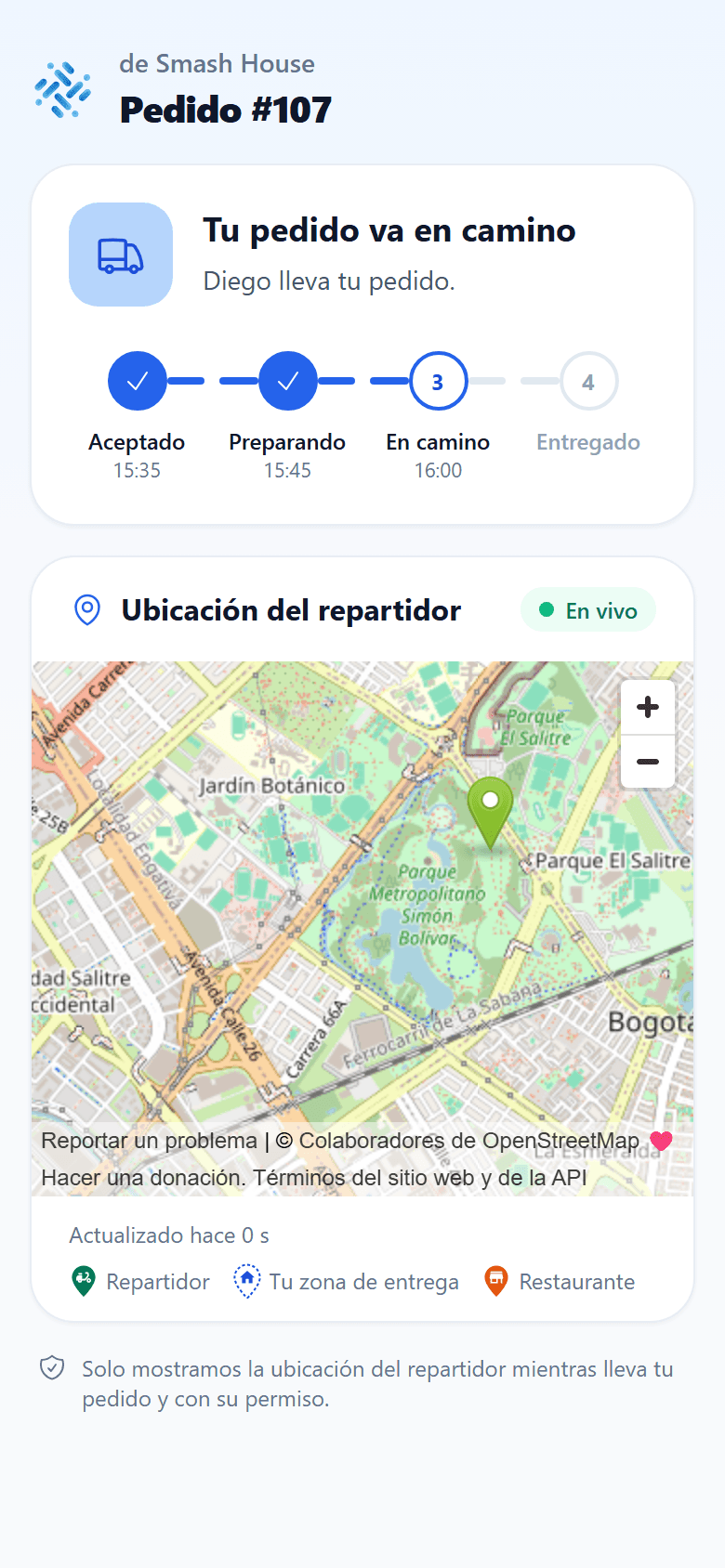
Live tracking for your customer
A private link shows every step from accepted to delivered, with the courier on the map and no personal data exposed.
Ask your store anything.
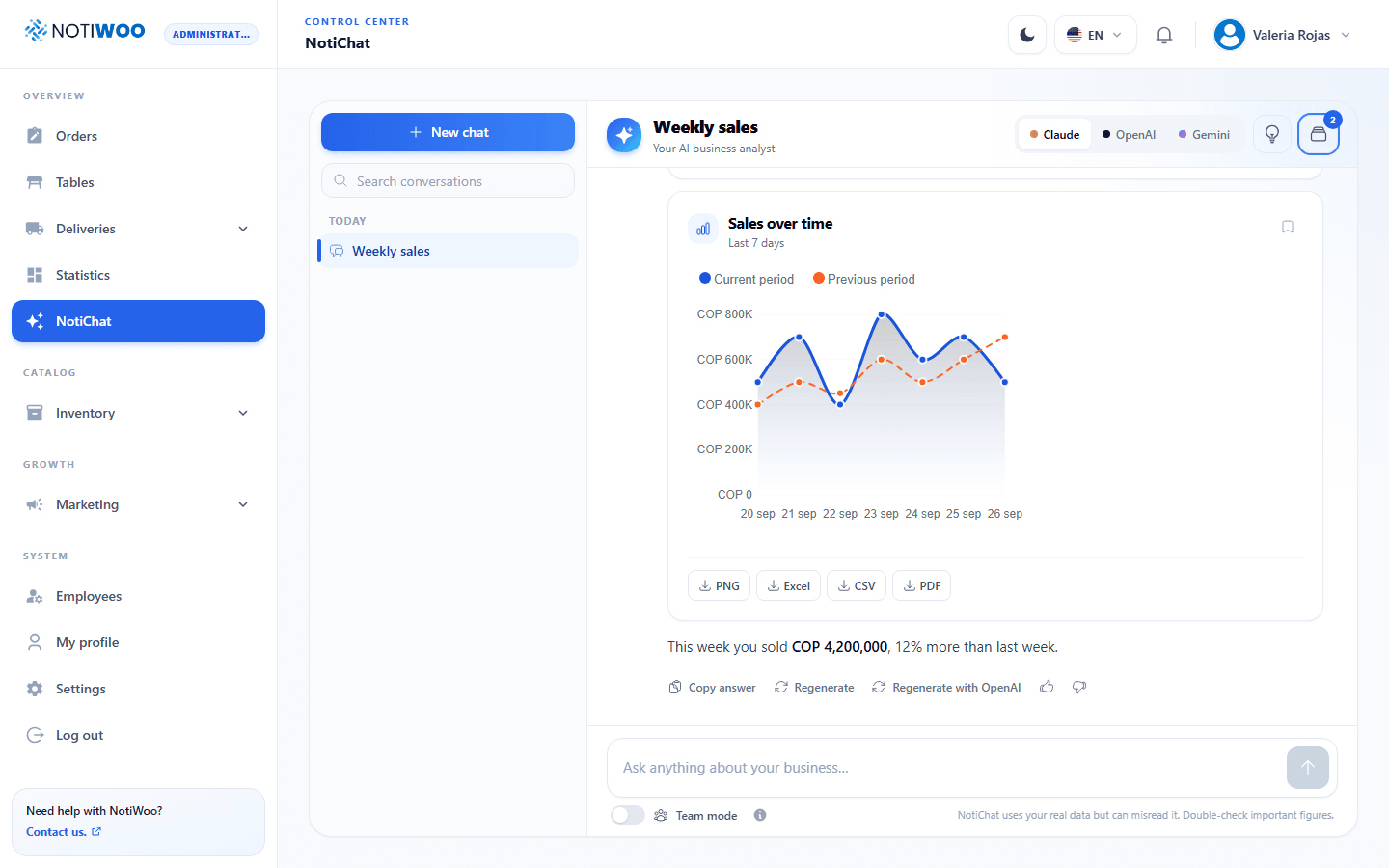
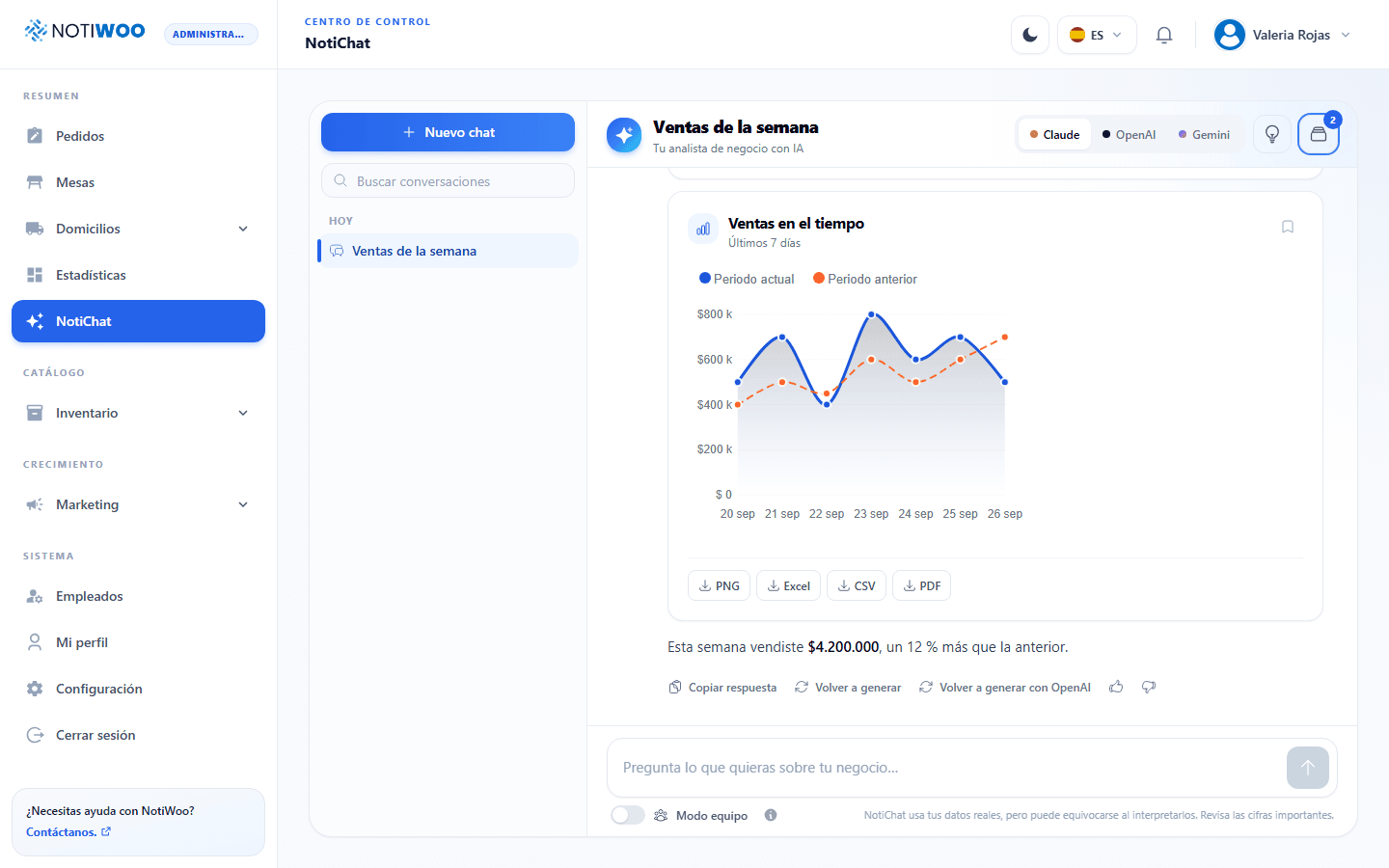
NotiChat reads your real sales, orders and catalog and answers with charts, tables and reports you can download. It can also prepare the work for you.
- Charts and reports in PNG, Excel, CSV or PDF
- Drafts products, categories, extras and campaigns
- Every proposed change waits for Confirm, with Undo
- Runs on Claude, OpenAI or Gemini
- You choose which roles can use it
Made for restaurants, counters and growing teams.
Serve tables with QR codes, bring customers back with points and give every employee the view their job needs.
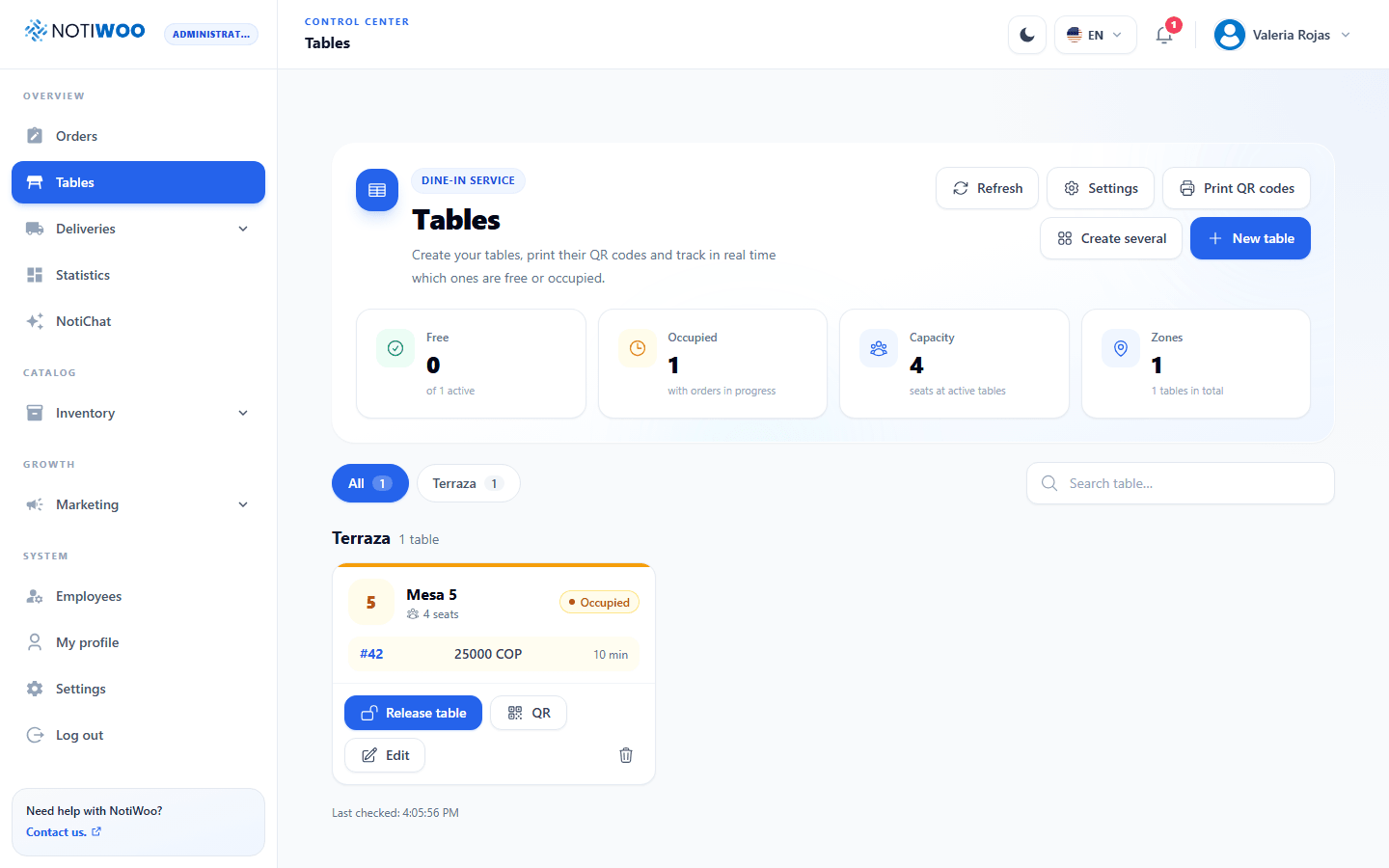
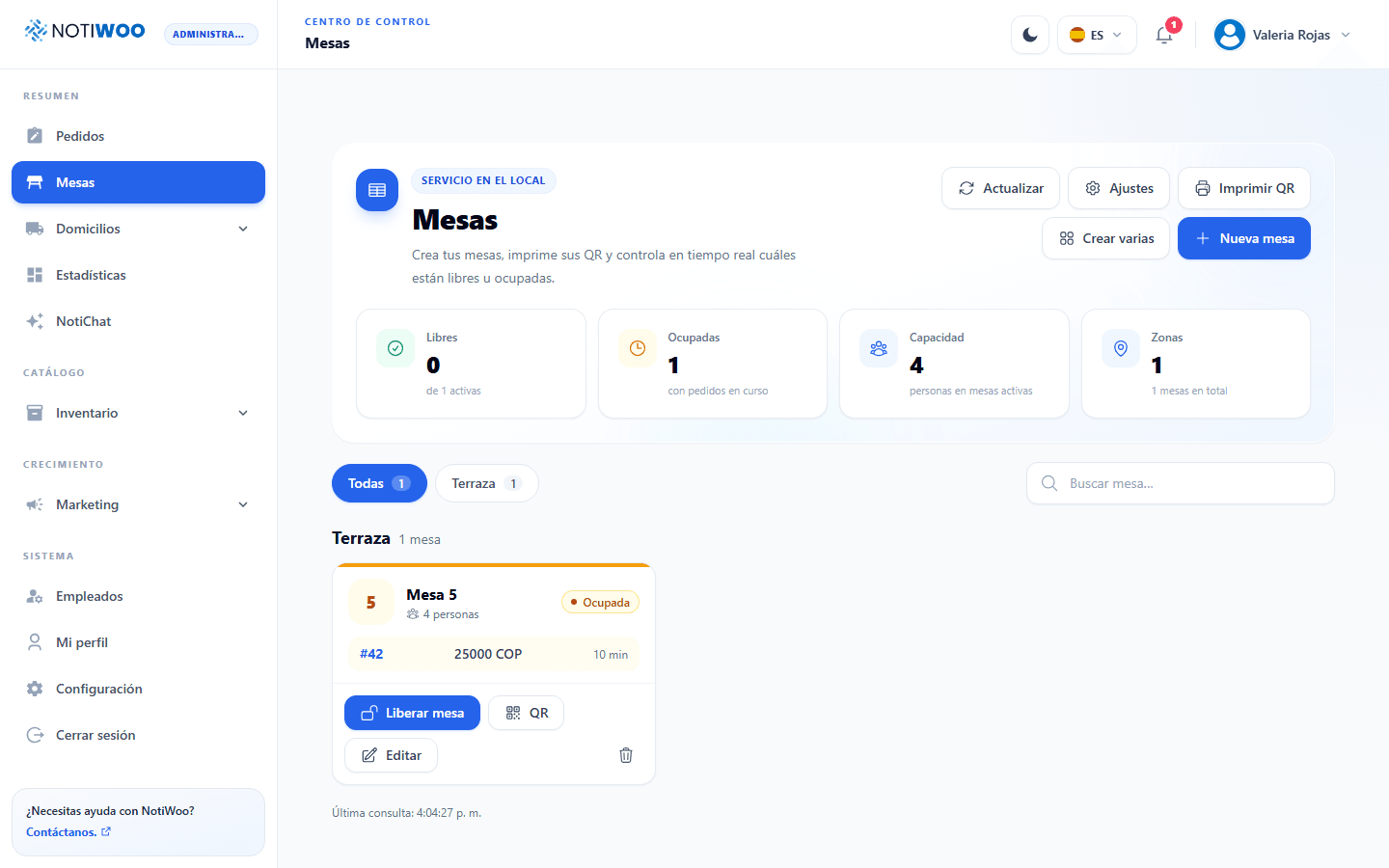
Tables with QR ordering
Guests scan the QR at their table and order from your store. Follow free and occupied tables by zone, mark orders as served and close the bill in one step.
Loyalty that brings them back
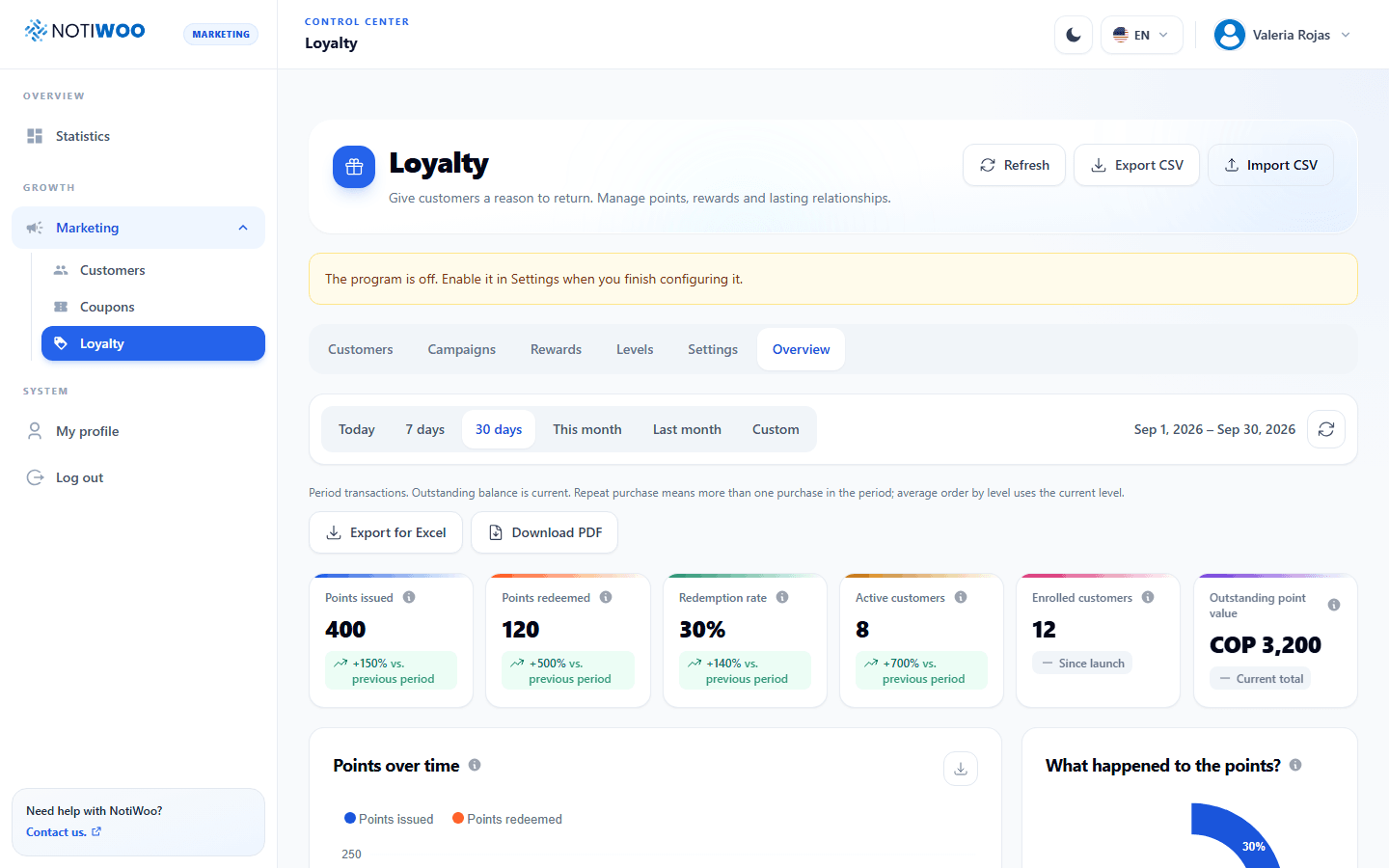
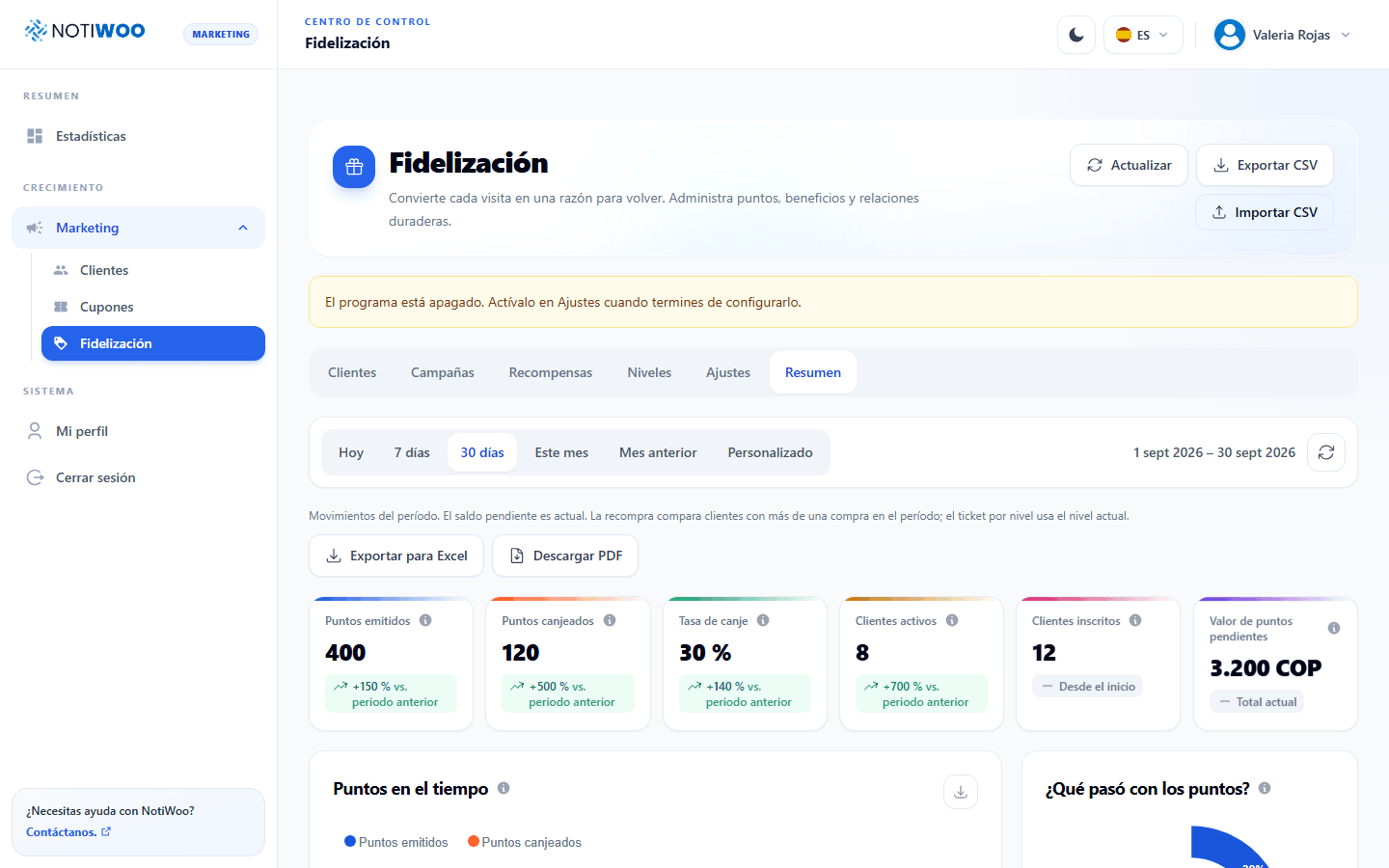
Points, levels and rewards, a four step campaign wizard and CSV import or export for your customer list.
A role for every employee
Administrator, cashier, catalog, marketing and courier. Each person sees only what their work needs.
Bulk catalog changes, with a safety net
Update prices, stock or categories across hundreds of products. Preview every change first and undo it for up to 7 days.
Order updates on WhatsApp
Your customers receive the order confirmation, the on the way notice and the tracking link on WhatsApp, sent automatically by NOTIWOO to everyone who accepts it at checkout.
Connect once. Keep operating.
The setup is straightforward, and the daily workflow stays where your team can see it.
Connect your WooCommerce store
A working WooCommerce store and your NOTIWOO license are the starting point.
Keep NOTIWOO where the team works
The browser dashboard becomes the shared place for incoming orders, catalog work and daily settings.
Move every order through a visible state
Prepare, print, complete or cancel with the customer and order context still in view.
Find the setup that fits your store.
The same NOTIWOO workspace adapts to how you sell. Start with the way your team works today.
NotiChat AI assistant
Ask your store anything and get answers with your real data, charts and reports. It also drafts products and campaigns for you to confirm.
Restaurants
Kitchen tickets, tables, deliveries and loyalty for food businesses on WooCommerce.
Deliveries
Dispatch, a courier app and a live tracking link for every WooCommerce delivery.
Order printing
Every new order printed in the kitchen or at the counter, with extras and notes.
QR table ordering
Guests order from their table with a QR code linked to your WooCommerce menu.
One price for the whole operation.
Every plan includes the same NOTIWOO workspace. Choose the billing rhythm that fits your store.
Monthly
Billed monthly, cancel whenever you need.
$10/ month
- Real-time order panel
- WooCommerce sync
- Email and sound alerts
- English and Spanish support
- 2 months free (early access)
Annual
Save 20%, billed once a year.
$100/ year
- Real-time order panel
- WooCommerce sync
- Email and sound alerts
- English and Spanish support
- 2 months free (early access)
Looking for a customized package?
Several stores, a different billing cycle or a specific printing setup: tell us how you operate and we will map it.
A calmer order flow starts with the next notification.
Questions before the first order arrives.
The essentials for understanding how NOTIWOO fits into a WooCommerce operation.
A working WooCommerce store. NOTIWOO receives order and catalog data from WooCommerce while WooCommerce remains the source of truth.
No. Ticket printing is optional. Your team can receive, review and update orders without a printer connected.
Yes. The interface, printed tickets and key workflows support English and Spanish.
Deliveries with a courier app and customer tracking, tables with QR codes, loyalty points and campaigns, employees and roles, the NotiChat assistant, products, categories, extras, tags, brands, coupons, customers and statistics.
No. Couriers work from NOTIWOO on their phone with their own courier account, and customers follow their order from a private tracking link.
Yes. NOTIWOO sends the order confirmation, the on the way notice and the tracking link on WhatsApp to customers who accept it at checkout, in addition to the email updates.
Yes. NOTIWOO includes both themes, so each team member can choose the environment that is easier to work in.
Tell us about your store and how your team handles orders today. We will help you map the connection, license and optional printing setup.
Tell us how your store operates.
Share your WooCommerce setup, the way orders reach the team and whether you need ticket printing. We will help you map a simple start.
Prefer to explore first?
Read the documentation and see how orders, catalog, statistics and printing work.